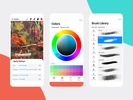
Procreate Paint, despite what its name may suggest, has nothing to do with the Procreate app available for iOS. This app is not an Android version of the excellent app developed by Savage Interactive. In fact, the only thing they have in common is their icon. This app offers some basic image editing tools and a few filters that you can apply to any image you want, but that's it.
Filters and editing tools
As soon as you open Procreate Paint, you will see four large buttons: Create, Project, Filters, Lighting. Within each of these sections, you will be able to carry out different types of editing on whatever image you want. In Filters, for example, you will find a bunch of color filters that you can apply to any photo. In Lighting, on the other hand, you can adjust the brightness of the image, while in Create, you can modify the photo's width or height. These are very basic tools, which are usually already included with any device's standard gallery app.
Nothing to do with the real Procreate
Procreate Paint has absolutely nothing to do with Procreate, the iOS app. It's not an Android version of Procreate, nor anything remotely similar. This app simply offers a few very simple image editing tools. The most useful thing about this app, just to mention something positive, is that it has a bunch of stickers (some of which are pretty fun) that you can place on top of your photos.
Requirements (Latest version)
- Android 5.0 or higher required
Comments
Best app in the universe.
It is my favorite drawing app!
you're the best app
Fake this is not a drawing app for people who are about to install it.. I'M SORRY because it's not a drawing app; instead, it's a photo editing app. 1 star for sure.
very nice and useful for brand's
Fake application, it's just an app that adds filters to your photos, not for drawing by any means.